Digital Planner for an Organized Boss Babe Life: A Stylish System for High‑Energy Homes
Imagine sitting at a sunlit desk, the glow of a sleek tablet reflecting off warm brass accents and a stack of chic notebooks. The screen displays your weekly rhythm in soft blush tones — meetings, content ideas, self-care blocks, and a sprint of creative work — all laid out in a way that feels like a beautifully composed vignette. Around the device, textures mingle: a velvet cushion on your desk chair, the crisp paper of a favorite notebook, the cool smoothness of ceramic planters holding a resilient succulent. Your workspace smells faintly of coffee and citrus from a candle, and there’s a gentle hum from a nearby diffuser. This is the sensory world of a Digital Planner for an Organized Boss Babe Life — purposeful, polished, and deeply personal.
This decor-forward approach matters because organization isn’t only functional; it’s emotional. When your planning tools live in a space that looks and feels like you, they invite use. A pretty dashboard on a tablet becomes something you reach for throughout the day. A well-styled digital planning station transforms chaotic mornings into calm, intentional starts. Whether you’re hosting a brunch, prepping for a product launch, or carving out a Sunday hour for strategy, a thoughtfully designed planning corner supports both your lifestyle and your home’s aesthetic.
Digital planning is especially perfect for seasonal refreshes, cozy corners, or modern updates in renter-friendly homes. It’s a low-commitment way to redesign a zone — swap wallpapers and apps instead of paint or plaster. If you’re decorating on a budget, pairing thrifted decorative trays with an inexpensive tablet stand and a curated wallpaper can deliver designer vibes without the cost. And when the holidays or guests arrive, your digital system can streamline prep lists, menus, and decor checklists — all while making your workspace a welcoming, Instagram‑worthy spot.
If you’re curious about pairing clever storage and display ideas with your planning nook, we’ve also rounded up practical solutions for tight spaces in other rooms — like these smart bathroom storage solutions — that translate beautifully to desk zones.
Decor Details
What it is:
- A hybrid decor and productivity concept: a dedicated digital planning station (tablet or iPad with stylus), paired with physical accessories that elevate the space visually and functionally.
Main style:
- Modern-glam meets minimalist: clean lines, polished metallic accents, soft textiles, and curated decorative objects.
Typical colors, materials, and textures:
- Palette: soft neutrals (blush, cream, beige), warm metallics (brass, rose gold), and contrast accents (smoky charcoal, deep green).
- Materials: matte metal stands, ceramic planters, linen desk pads, wooden trays, glass pen cups, leather notebook covers.
Best rooms or zones:
- Home office, bedroom nook, living room console, entryway landing, or a dual-purpose dining-to-desk corner.
DIY vs. buying:
- Mix: mostly store-bought tech and stands, with easy DIY touches like printable dashboards, hand-lettered sticky notes, and thrifted trays refreshed with spray paint.
Design Impact
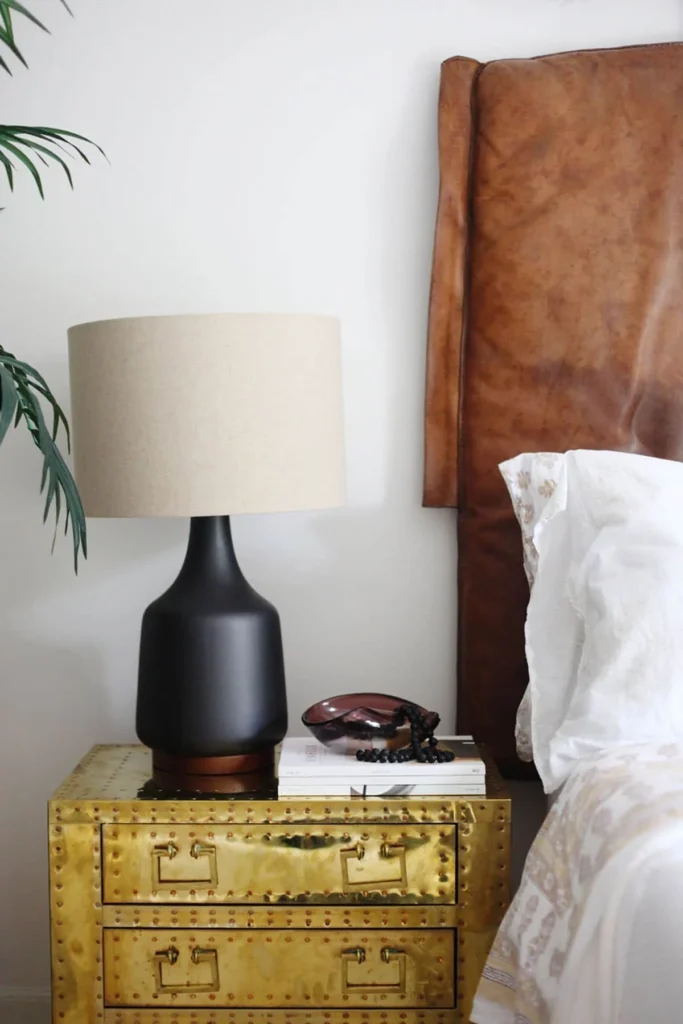
A Digital Planner for an Organized Boss Babe Life reshapes both space and day. Visually, it creates a refined focal point: the tablet screen becomes a dynamic piece of wall art that changes with your schedule, mood board, or seasonal wallpaper. Surrounding objects in complementary textures — a soft wool throw, a brass lamp, a ceramic mug — help balance screen light with tactile warmth. This layering of surfaces prevents the tech-heavy corner from feeling sterile; instead it adds depth and a sense of curation.
Emotionally, the setup nudges behavior. When your planning tools are beautiful and accessible, planning stops being a chore and becomes a daily ritual. Picture closing your laptop after a productive work block and resting your hand on a linen desk pad while you glance at the week’s goals on your tablet — the act feels calm and celebratory. Practically, a well-considered station improves workflow: cable organizers keep chargers tidy, a pegboard or shelf stores in‑process notebooks, and quick-access baskets hold receipts and receipts. Whether you’re prepping for client calls, easing into a focus hour, or hosting friends and needing to switch gears, this corner supports transitions seamlessly.
Why Choose It
Who it’s perfect for:
- Renters and remote workers who want a high-impact update without structural changes.
- Busy entrepreneurs and creative professionals craving order with style.
- Small-space dwellers who need multifunctional areas that double as decor.
Key strengths:
- Affordable to personalize: swap wallpapers, update accessories seasonally, and thrift highlight pieces.
- Flexible and timeless: the digital core is future-proof; accessories can evolve with trends.
- Small-space friendly: a compact tablet and a slender stand take up minimal real estate but yield maximum organizational benefits.
Problem‑solver scenario:
- A cluttered kitchen table that’s taken over by receipts, sticky notes, and loose to-dos? A dedicated digital planner station turns that chaos into a contained command center. Place a slim tray to corral chargers, use a magnetic board behind the tablet for quick pin-ups, and your table becomes usable again for meals and gatherings.
How to Style Digital Planner for an Organized Boss Babe Life
Ingredients
- Tablet or iPad with stylus and a protective (stylish) case.
- Adjustable tablet stand or holder.
- Desk or console table (compact size for small spaces).
- Desk lamp (warm LED) or small ring light for even screen lighting.
- Linen desk pad or leather blotter.
- Ceramic planter or small vase for greenery.
- Decorative tray or shallow basket for chargers, keys, and notes.
- Notebook or planner (physical) for hybrid planning.
- Cable clips and a small docking station or power strip.
- Optional extras: framed print, stacked books, scented candle, velvet cushion for chair.
Budget-friendly substitutions:
- Use a thrifted picture frame as a tray, repurpose a mug for pens, swap a pricey lamp for an affordable LED desk lamp, or use a phone propped against a vintage book instead of a stand.
Directions
- Choose the right corner: Pick a spot with natural light but avoid direct glare on the screen. Facing a window is ideal if the sun is diffused; otherwise, position perpendicular to the window.
- Anchor with a surface: Select a slim desk or console that fits traffic flow. Aim for surface depth of at least 14–18 inches so you can place the stand and a tray without crowding.
- Select your stand and screen angle: Use an adjustable stand that lets you switch between vertical and horizontal views. For writing with a stylus, a slightly reclined angle (10–15 degrees) reduces wrist strain.
- Layer textures: Place a linen desk pad first, then the tablet stand centered or slightly off-center. Add a small tray to the far side for chargers and a ceramic planter for life and color.
- Set lighting: Add a warm LED desk lamp behind the tablet or a clip-on light to avoid screen reflection. Dimmer bulbs (2700K–3000K) create a cozy mood while maintaining clarity.
- Organize cables: Route charging cables to a small docking station hidden behind the tray. Use adhesive cable clips under the desk to keep things tidy and accessible.
- Curate decorative accents: Stack two books under a frame or candle for height variance. Keep one statement piece (glossy vase or metallic object) and limit to 3–4 accent items to avoid visual clutter.
- Create a ritual shelf: If space allows, install a slim floating shelf above the desk for in‑progress notebooks, a mood board, and a small plant — perfect for quick glances during the day.
- Personalize your dashboard: Choose wallpaper and stickers that reflect seasons or goals — blush for self‑care months, bold jewel tones for launches, soft greens for grounding periods.
- Reevaluate monthly: Every four weeks, swap a notebook, rotate accent colors, and clear the tray so the space stays fresh and functional.
Presentation Tips
The beauty of a Digital Planner for an Organized Boss Babe Life is how versatile it is across rooms:
- Home office: Center the tablet on a classic desk with a brass task lamp. Pair with a cozy rug underfoot and a comfortable ergonomic chair wrapped in a soft throw.
- Bedroom nook: Tuck a slim console at the foot of the bed. Use muted wallpapers on the tablet for calming bedtime planning and place a small aromatherapy diffuser nearby.
- Entryway landing: Mount a floating shelf as a quick command station — perfect for checking errands and schedules as you head out the door.
- Living room console: Make the tablet part of a styling vignette with books, a sculptural vase, and a framed photo, so planning blends with living.
Pairings to elevate the look:
- Plants: a glossy pothos or small snake plant to add vertical greenery.
- Textiles: velvet cushions, a woven throw, or a small runner on the desk for texture contrast.
- Mirrors and art: a round mirror above a console reflects light and visually enlarges the space.
- Baskets: under-desk woven baskets hide cords or seasonal paper goods.
Small-space idea:
- Convert a narrow hall table into your planner station. Use wall-mounted organizers and clip-on lamps to save surface area.
Large open-plan idea:
- Define the zone with a low bookcase behind the desk and a larger rug to anchor the workspace within the room.
How to Maintain
Screens and accessories need gentle care to keep this station looking fresh. For tablets and screens, use a microfiber cloth with a small amount of screen-safe cleaner — wipe gently in circular motions and avoid getting moisture into ports. For desk pads and textiles, vacuum or shake out dust every 1–2 weeks; linen or cotton pads can often be spot-cleaned or washed per fabric instructions.
Dust decorative objects weekly, and deep-clean the area monthly: empty trays, untangle chargers, archive old notes, and back up digital files. Seasonal storage: keep holiday or launch-specific stationery in labeled boxes stored in a closet; protect items from direct sunlight to prevent fading. Rotate decorative cushions and throws seasonally to refresh colors and prevent fabric wear.
Designer’s Advice
- Scale matters: keep the tablet stand proportionate to the desk — avoid tiny stands on very wide surfaces and vice versa.
- Layer light: combine ambient, task, and accent lighting to reduce eye strain and create atmosphere.
- Texture balance: pair one smooth metallic with a matte ceramic and a soft textile to create tactile contrast.
- Color rule: choose one dominant neutral, one accent color, and one metallic for cohesion.
- Keep clutter hidden: use trays and baskets to corral small items — visible order feels calmer.
- Use natural light for contrast: position the plan station so natural light hits your face or side, preventing screen glare and enhancing mood.
- Commit to a weekly 10‑minute tidy: quick maintenance keeps the space functional and photogenic.
Style Twists
Minimalist twist:
- Keep the palette monochrome (white, stone, black). Use a slim black tablet stand, a single succulent, and a slim leather notebook. Budget-friendly: buy a simple cork desk pad and repurpose a ceramic cup for pens.
Cozy, hygge version:
- Soft wool throw, warm amber lamp, candle, and muted green wallpaper on the tablet. Add a small pouf for relaxed planning sessions with a hot tea on a wooden coaster.
Colorful, creative studio:
- Bold wallpapers, patterned throw pillow, brass lamp with colored shade, and a gallery wall above the desk. Mid-range upgrade: a higher-end stylus and a leather desk pad for durability and luxe feel.
Frequently Asked Questions
Q: Can I blend a digital planner with a physical planner?
A: Absolutely. Use the digital planner for scheduling and recurring tasks, and a physical notebook for brainstorming, habit trackers, and creative lists. Keep both within arm’s reach in a decorative tray.
Q: Is this setup renter-friendly?
A: Yes — it’s non-permanent and portable. Use removable hooks for floating shelves and choose freestanding furniture to avoid drilling.
Q: How do I avoid screen glare in a bright room?
A: Position perpendicular to windows and use a matte screen protector. Add a soft ambient lamp to balance contrast.
Q: How often should I update my digital wallpapers and templates?
A: Every 2–6 weeks keeps things fresh without being distracting. Refresh seasonally for a bigger change.
Q: Where can I find quality yet affordable accessories?
A: Look for local home shops, artisan markets, or online marketplaces where you can find unique trays, planters, and stands without breaking the bank.
Conclusion
Ready to make your planning as beautiful as your goals? Try styling a Digital Planner for an Organized Boss Babe Life in a corner of your home and notice how a few tactile touches and a clear digital system can transform hectic days into purposeful routines. If you’re looking for inspiration or tools to build out your system, check out these helpful resources: Digital planners to help organize your business and reach your goals! and Passion Planner | 2026 Weekly and Daily Planners.
Want to share your own boss-babe planning nook or ask a question? Post photos, tips, or questions in the comments below — and explore more styling ideas and layout tips like clever ways to arrange furniture to transform a room to keep your home looking intentional and inviting. For more clever storage picks that pair beautifully with a planning station, see these smart solutions for compact rooms.